AutoCAD Based (Riser nipples)
Total: 6
Page:
* On smaller devices swipe left to view hidden table data
| Ribbon/Toolbar (Software) | Button | Function | Error Type | Description | ||
|---|---|---|---|---|---|---|
| Ribbon/Toolbar (Software) | Button | Function | Error Type | Description | ||
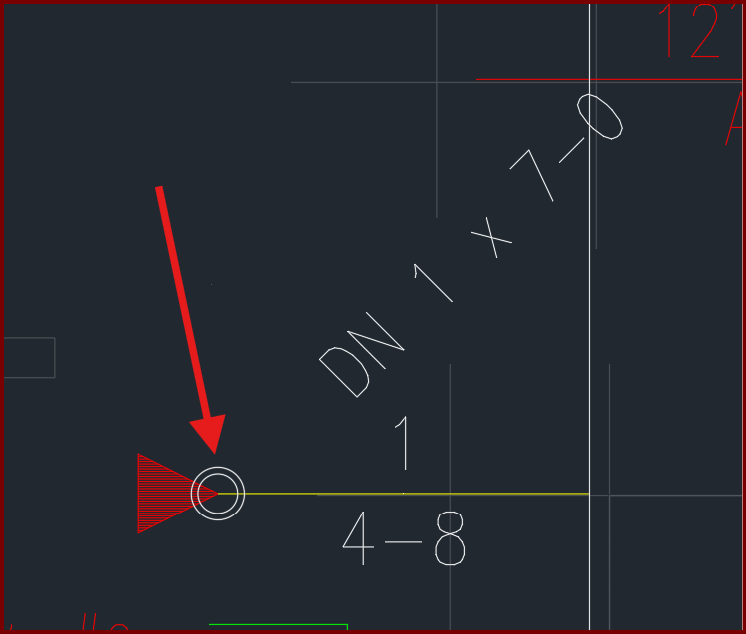
| Card 1434 View | Riser Nipples (AutoCAD Based) | Insert Vertical Pipe | None | None | When inserting a vertical pipe, the circle part of the block remains as a white circle, instead of a red pacman/clamshell.
|
|
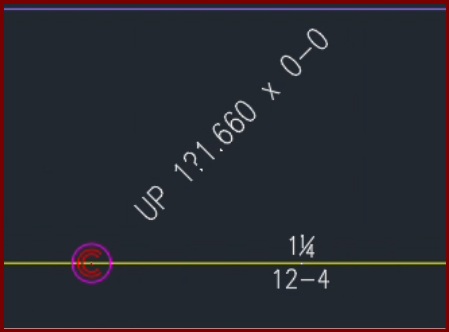
| Card 1424 View | Riser Nipples (AutoCAD Based) | None | None | None | When inserting a vertical pipe/riser nipple with a fraction in the diameter you get atypical results
The fonts for fraction symbols ¼ (quarter), ½ (half), or ¾ (three-quarters) are replaced with ?.840, ?1.050, and ?1.660 |
|
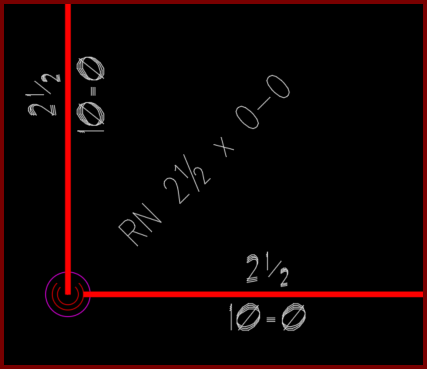
| Card 1404 View | Riser Nipples (AutoCAD Based) | None | None | None | The font of your vertical pipes do not match the font of your pipe dimensions
|
|
| Card 1301 View | Riser Nipples (AutoCAD Based) | Edit Riser Nipples | None | Other | When selecting a vertical pipe/riser nipple hydrapipe, the PROPERTIES window shows "no selection" instead of "hydrapipe"
You may notice that you cannot use the 'change length' command (CL) or cannot rotate riser nipple (RRT)
|
|
| Card 1174 View | Riser Nipples (AutoCAD Based) | Riser Nipple Type | None | Other | After editing riser nipples/vertical pipes with the CRN command, the indicator diamonds reappear
Even if you restart the command and cancel, they remain
|
|
| Card 1101 View | Riser Nipples (AutoCAD Based) | Edit Riser Nipples | Change Riser Nipple Type | None | Glyphs used to indicate the component type (Line/Main/Armover/Underground) that riser nipples are to be listed as remain on drawing even after command is closed |
|
Page: